EmberRedshift-safe color palettes
GitHub
Palette:

Four palettes for terminals, apps, charts, and color maps

Color palettes for Night Shift, Redshift, and other warm screen filters.

Warm screen filters change the red, green, and blue output of a display by different amounts. Colors that look distinct without the filter can become identical after it. Ember palettes are developed and tested under modeled 3400 K, 2000 K, and 1200 K filters to select text, interface, terminal, and chart colors that you can still tell apart when you are working in the middle of the night with a dark-red screen. Each palette specifies exactly how many category and terminal accent colors remain distinct.

git clone https://github.com/carpdiem/ember.git

Select a palette in the header to apply it to every example below: text, code, interface controls, maps, and diagrams. Each example uses only colors from that palette.

Ember palette designWarm screen filters7 min read

Warm screen filters can merge colors

A warm screen filter changes each RGB channel by a different amount. Most palette specifications describe only the unfiltered colors.


At 1200 K, the modeled Redshift transform sets blue output to zero. Two syntax colors that differ only in blue then produce the same displayed color.

Each Ember palette meets minimum targets for contrast, ordered lightness, and perceptual separation after its modeled filter is applied. Perceptual separation is measured in Oklab, a color space designed to approximate human perception. The unfiltered colors also remain distinct during the day. At 1200 K, differences in blue can improve daytime separation even though the filter sets blue output to zero.

Colors that carry different meanings remain distinguishable both before and after the target filter is applied.

Ember palettes use cream body text on a near-black warm-neutral background. Pure white becomes brighter orange under a warm filter without improving legibility. Links, emphasis, and status marks use higher-chroma colors because those colors carry specific meaning.

The 3400 K palettes provide six distinct category colors after filtering. The 2000 K palette provides four. The 1200 K palette provides three. Repeated ANSI slots are labeled as aliases.


This article uses Ember roles throughout: fg-0 body · fg-1 standfirst · fg-2 metadata · category-one links · category-two accent rule · bg-1 paper on bg-0 canvas.
Reading text

This live article uses the selected palette for its headline, body text, links, pull quote, metadata, background, and rules.

Use the header to switch palettes. Ember palettes meet their minimum contrast requirements both before and after the modeled screen filter is applied.

Warm-neutral text and backgrounds

Ember palettes use warm-neutral colors for the canvas and body text because fine detail depends mostly on luminance. Higher-chroma colors are reserved for links and status.

Real repository commands
ember — alacritty · selected palette
$ git clone https://github.com/carpdiem/ember.git && cd ember
$ python -m pip install "ember-palettes @ git+https://github.com/carpdiem/ember.git"
$ mkdir -p ~/.config/alacritty/themes
$ cp themes/terminal/alacritty/2000k-dark.toml ~/.config/alacritty/themes/
# then in alacritty.toml:  [general]  import = ["~/.config/alacritty/themes/2000k-dark.toml"]

$ python
# selected palette terminal accents: red green yellow blue magenta cyan
import matplotlib.pyplot as plt
from ember import categorical, categorical_norm, encode_categories, sequential, surfaces

# pass the slug so capacity checks match the selected family
palette = "2000k-dark"
ui = surfaces(palette)
ids = encode_categories(["control", "alpha", "beta", "gamma"],
                        ["control", "alpha", "beta", "gamma"], slug=palette)
fig, ax = plt.subplots()
fig.patch.set_facecolor(ui["bg_0"])
ax.scatter(x, y, c=ids, cmap=categorical(palette), norm=categorical_norm(palette))
ax.imshow(field, cmap=sequential(palette))  # 256 float samples, every palette

Terminal and code colors

This example uses real installation commands, the Python API, and bg-5 for selected text. It shows every distinct ANSI accent in the selected palette: six at 3400 K, four at 2000 K, and three at 1200 K.

The repository includes terminal themes for Alacritty, iTerm2, and Windows Terminal. Every theme assigns its accent colors to both the normal and bright ANSI slots. In the 2000 K and 1200 K themes, some ANSI names also share a color because only four or three accent colors remain distinct.

Terminal contrast requirements

Each terminal accent color provides at least 4.5:1 contrast against the terminal background after its target filter. Each accent also remains perceptually distinct from the palette's primary, secondary, and metadata text colors.

Fictional telemetry · dense interface example

Interface colors under high information density

This fictional console applies the selected palette to gauges, bars, scopes, sparklines, health states, and logs. The selected palette supports up to 6 distinct data series. Shapes and labels repeat every meaning encoded by color.

THARSIS RELAY · DEEP-SKY OBSERVATORY · SIMULATION MET 0412:06:57 MODE SCIENCE-2 CHANNEL IDENTITIES 6 / 6 GROUND PASS DSS-43 · 11 min

Power · Thermal · Lock

27.4 V BUS POWER
141 K ▲ THERMAL
87 % SIGNAL LOCK
DETECTOR PLANE THERMAL PROFILE (sequential map, low→high)
128 Ksensors A · B166 K

Comm link

UPLINK · X-band2.1 kbps
DOWNLINK · Ka-band142 kbps
RANGE1.318 AU
ONE-WAY LIGHT TIME10 m 57 s
FRAME ERRORS / 10⁴0.3
BUFFER FILL61 %

Spectral scope · channel A

CENTER 8.42 GHz · SPAN 4 MHzSNR 23.6 dB

Detector channels · one series per available identity

Approach plot · plane-of-sky

TGT-1 REL-2 DBR-3
RINGS50 · 100 · 150 km

Subsystem health

  • EPS
  • ADCS
  • TCS LOOP-B
  • C&DH
  • PROP
  • COMM-X
  • COMM-KA
  • STAR TRK-2
  • PAYLOAD-A
  • PAYLOAD-B
  • FSW
  • MECH

Readouts

WHEEL 1 SPEED
2 140 rpm
WHEEL 2 SPEED
1 986 rpm
ATTITUDE ERROR
0.004 °
SLEW RATE
0.12 °/s
PROPELLANT
61.8 kg
TANK PRESSURE
212 kPa
ARRAY CURRENT
8.9 A
BATTERY SoC
93 %
CPU LOAD
34 %
SSR FILL
412 Gb

Event log

  • 0412:04:12CMD SEQ tharsis_scan_07 loaded, 84 steps
  • 0412:04:58PAYLOAD-A integration started · 900 s
  • 0412:05:31▲ WATCH TCS LOOP-B pump current +6 % over trend
  • 0412:05:33TCS heater duty rebalanced autonomously
  • 0412:05:47▲ WATCH STAR TRK-2 residual 0.9″, TRK-1 primary
  • 0412:06:02CMD Ka downlink rate step 96 → 142 kbps
  • 0412:06:40SSR playback window opened · DSS-43
  • 0412:06:55PAYLOAD-B dark-frame calibration queued

Command queue

METCMDST
0412:08:00SCAN_07 §12ARMED
0412:11:20SSR_PLAYBKARMED
0412:14:05TRK2_DIAGHOLD
0412:17:30DESAT_RWPEND

The mission, spacecraft, values, and events are fictional. The console demonstrates data-series capacity, text contrast, and warnings identified by both color and shape at high information density.

Real NASA data — MGS MOLA topography
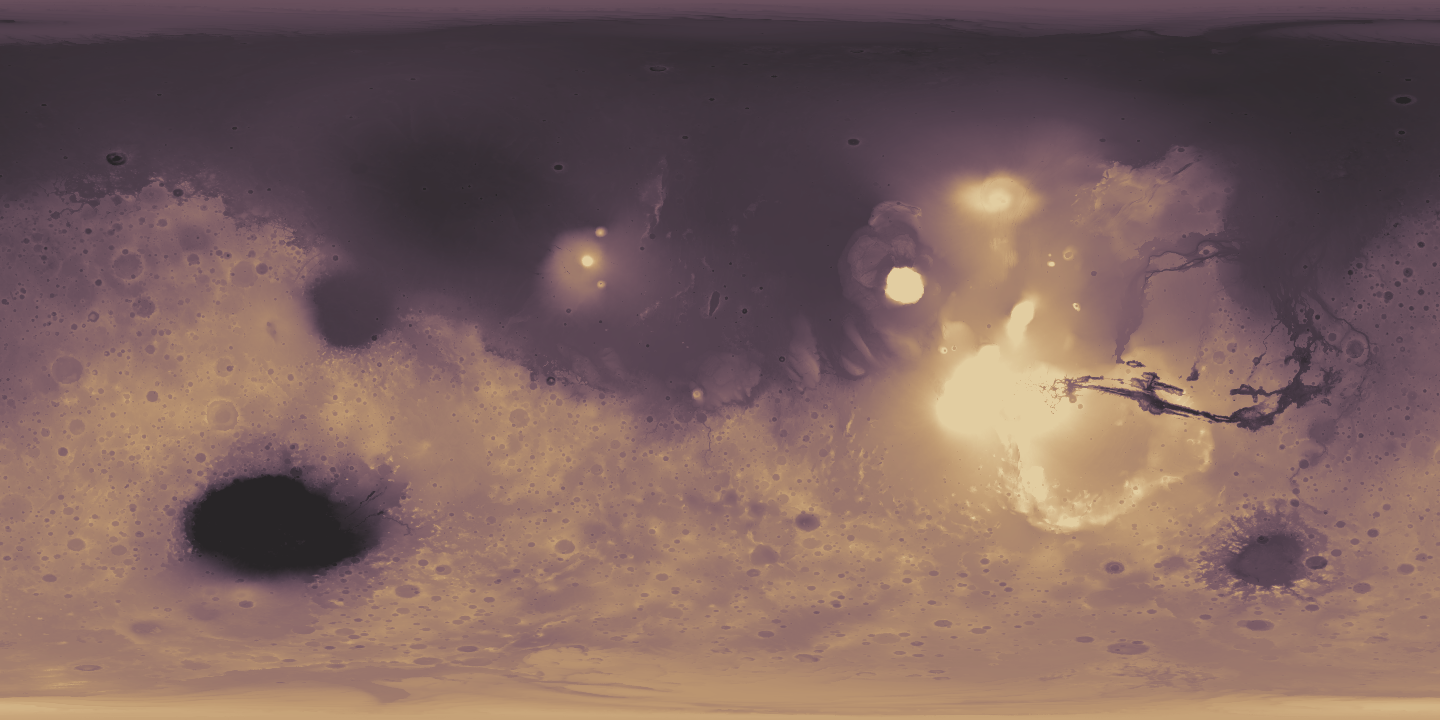
Global Mars topography from MGS MOLA, 1440 by 720 grid, elevation mapped through the selected Ember sequential colormap
−5 887 m (1st pct)elevation vs. Mars areoid · low → high+6 013 m (99th pct)

MOLA MEGDR MEGT90N000CB.IMG v2.0 · 0.25°/px simple cylindrical grid · every pixel is median topography in meters, planetary radius minus areoid radius · full source range −8 068 m to +21 134 m; only the color scale is clipped at the 1st–99th percentiles · empty bins carry archive-supplied interpolation. Smith et al., NASA PDS, MGS-M-MOLA-5-MEGDR-L3-V1.0, 2003.

Real NASA data

Mars elevation mapped with Ember

Each pixel represents measured Mars elevation from NASA's MGS MOLA dataset. Each measured value maps to one of 256 colors from the selected palette. Those colors have equal perceptual spacing and strictly ordered lightness after the modeled filter.

That filtered-state spacing keeps Olympus Mons, Hellas, and other elevation features visible in every palette.

Real NASA data

Higher terrain is darker in 3400K Light

The 3400K Light color map assigns light colors to low values and dark colors to high values. Every scalar map follows the low-to-high direction defined by its palette.

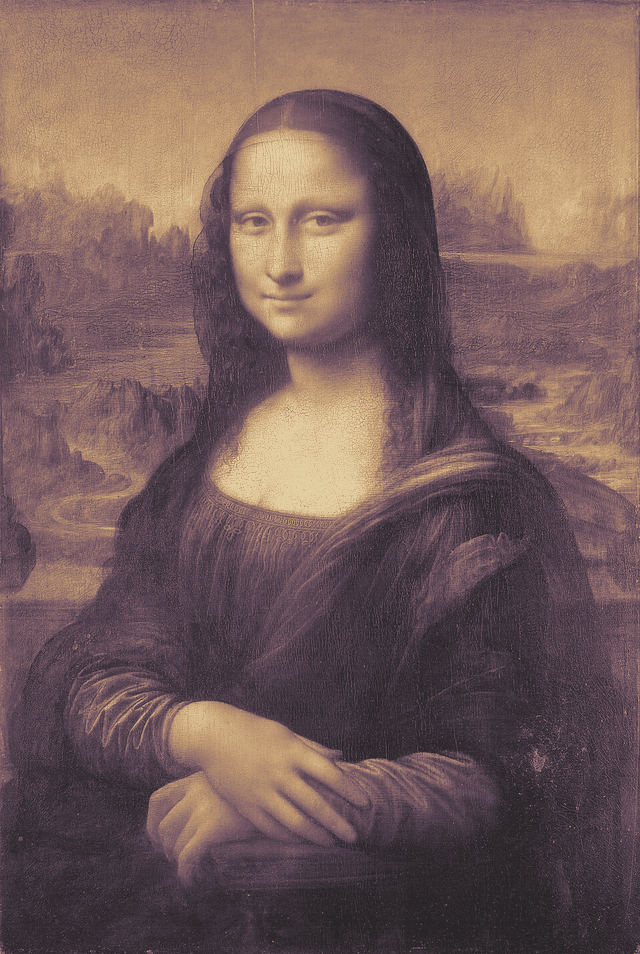
Public-domain artwork + deterministic mapping
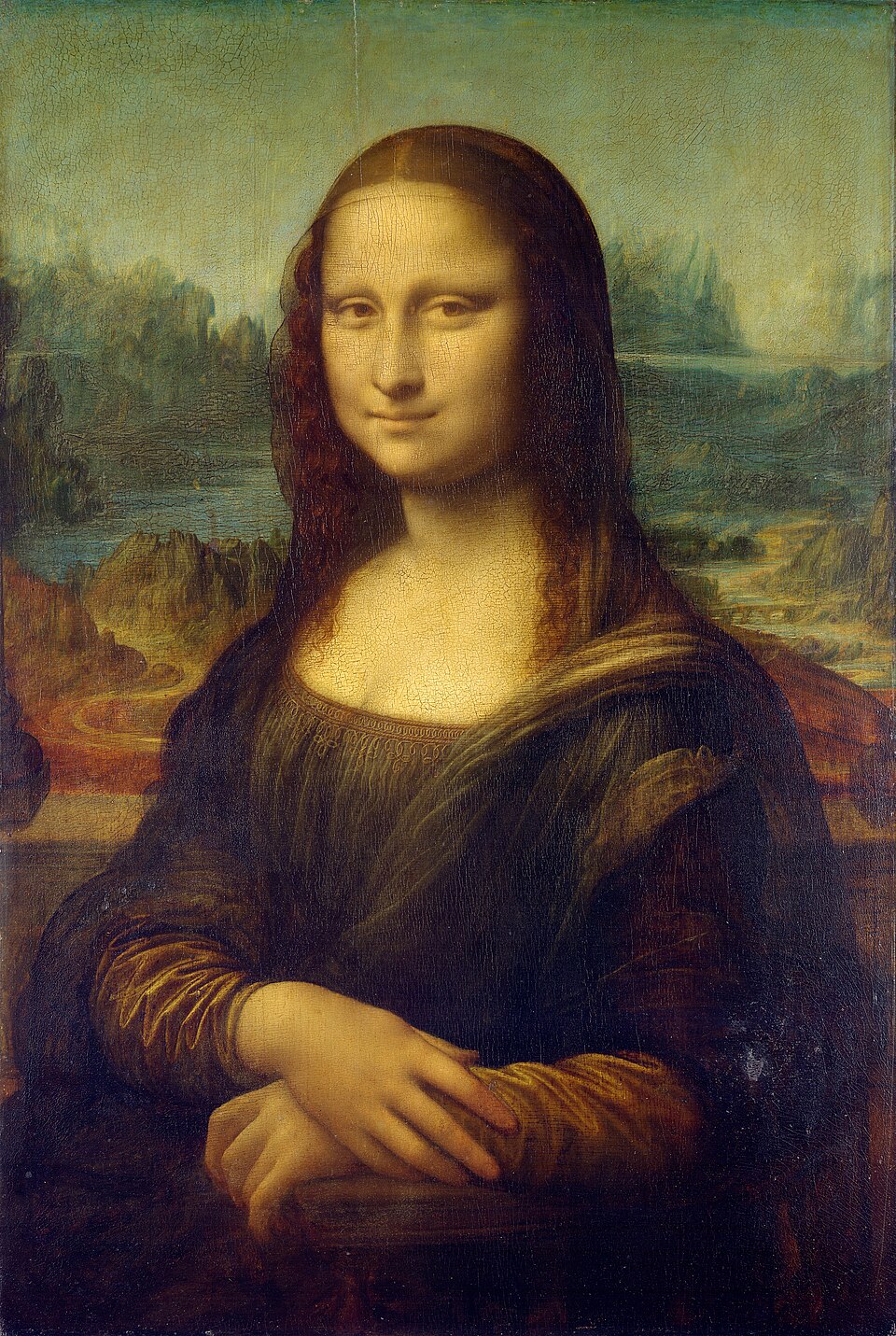
Mona Lisa by Leonardo da Vinci, C2RMF retouched digitization, public domain source image The same Mona Lisa with pixel perceptual lightness mapped deterministically into the selected Ember sequential colormap
◀ Ember mappingsource ▶
Public-domain source image · generated Ember mapping

Image mapped by perceptual lightness

This example with the Mona Lisa calculates the Oklab lightness of each source pixel, stretches the values between the 1st and 99th percentiles, and assigns one of the selected palette's 256 colors. For images, dark source pixels map to dark palette colors and light source pixels map to light palette colors. The Mars map instead follows the palette's authored low-to-high scalar direction.

The mapped image preserves the source crop and geometry. Drag the wipe to compare it with the source image.

Provenance

Image source and build

Mona Lisa, Leonardo da Vinci · C2RMF retouched digitization via Wikimedia Commons · public domain, recorded SHA-256 in assets/README.md. The four mapped PNGs are rebuilt deterministically by tools/build_all.py.

Physics diagram · selected palette colors
E — electric field (ŷ) B — magnetic field (x̂) tracked phase crest

In a plane electromagnetic wave in vacuum, E and B oscillate in phase. They are perpendicular to each other and to the propagation direction k. The marked crest follows one phase front moving at c.

Physics figure

Electromagnetic field colors

The floor grid, axes, field vectors, and envelope curves share one perspective 3-D frame. E uses category-one, B uses category-two, and the crest marker uses category-three. Every Ember palette provides at least these three distinct colors.

When prefers-reduced-motion is enabled, the figure displays one static frame with the same labels.

MIT-licensed files for terminals, CSS, JSON, Python, and Matplotlib

Install Ember.

Get the files

git clone https://github.com/carpdiem/ember.git
cd ember

Python users can install directly from GitHub:

python -m pip install \
  "ember-palettes @ git+https://github.com/carpdiem/ember.git"

Terminal themes

mkdir -p ~/.config/alacritty/themes
cp themes/terminal/alacritty/2000k-dark.toml \
   ~/.config/alacritty/themes/
  • Alacritty: import the copied TOML from alacritty.toml
  • iTerm2: Settings → Profiles → Colors → Import from themes/terminal/iterm2/
  • Windows Terminal: paste a scheme object from themes/terminal/windows-terminal/

CSS & JSON

<link rel="stylesheet" href="palettes/ember.css">
<section class="ember-panel" data-ember-palette="3400k-dark">
  This panel uses Ember.
</section>
<style>
.ember-panel {
  color: var(--ember-fg-0);
  background: var(--ember-bg-0);
}
</style>

palettes/ember.css provides surfaces, text colors, category colors, and 11 sequential stops. palettes/ember.json provides all 256 sequential samples, ANSI slots, filter gains, and test results.

Python / Matplotlib

from ember import (categorical, categorical_norm,
                   encode_categories, sequential, surfaces)
ui = surfaces("1200k-dark")   # bg_0…bg_5, fg_0…fg_2
cmap = sequential("1200k-dark")  # 256 samples

Pass the palette slug to categorical_norm() and encode_categories() so both functions use that palette's category limit.

Choose a palette

SlugUse whenCategories
3400k-darknear-black general-purpose warm theme6
3400k-lightmoderate warm shift on a light surface6
2000k-darkRedshift near 2000 K4
1200k-darkextreme 1200 K warm-screen setting3

Start with 3400k-dark. Use 2000k-dark or 1200k-dark when your screen filter uses those lower temperatures. Only dark palettes are available at 2000 K and 1200 K because the filter turns a light background into a bright orange-red field.

Provenance & license

  • Repository · README · MIT license
  • Use Ember with Night Shift, Redshift, or another warm screen filter. Ember supplies the colors.
  • Rebuild everything: uv run python tools/build_all.py --check
  • Mars: NASA PDS MOLA MEGDR (acknowledged, CC0-style reuse guidance). Mona Lisa: public domain via Wikimedia Commons.